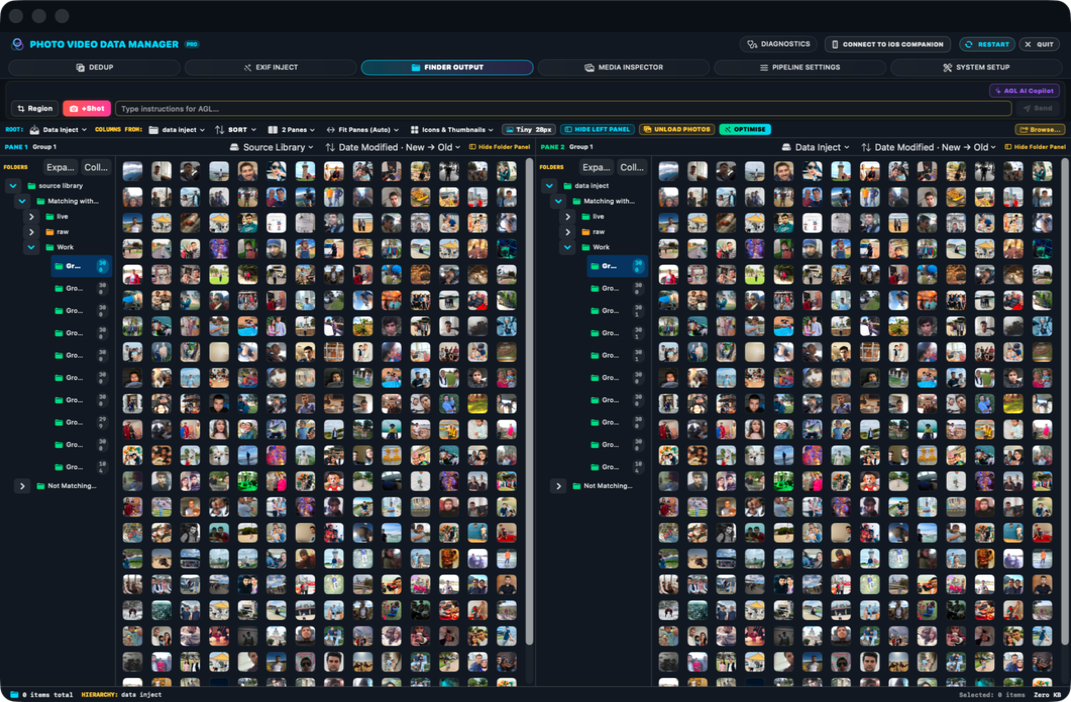
Compare both libraries
The app looks for the same photo or video in Source Library and Data Inject.
Stage D compares the Source Library with Data Inject and identifies which files on each side are exact duplicates of the same media.
The app looks for the same photo or video in Source Library and Data Inject.
Verified matches receive the same group number on both sides so the relationship is easy to see.
Files without a verified counterpart remain in the non-matching result and are not changed.
Source Library appears on the left and Data Inject on the right. Matching groups line up across the two panes, making the exact duplicate relationship visible before Stage E uses it.